***PDI Exclusive - You can only buy it here.***PC Board CAMPC Board CAM software allows you to turn your MDX machine into a PC Board manufacturing solution. Using your PC Board designs from other PC Board Design packages you can import your manufacturing file into PC Board CAM and quickly and easily create the information the Roland MDX machines need to make your PC Boards.
If you also need a design software we recommend our complete
PC Board Design and Make Solution.
Receive this software free with purchase of Roland MDX- contact
sales@pdi3d.com to learn how.
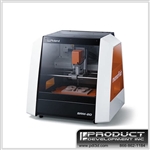
How It WorksPC Board CAM writes instructions for the Roland milling machine to create the PC board design. It works very easily and follows your design you created in your PC Board Design software. The MDX creates a circuit by engraving around each circuit path with a fine point tool onto conventional copper clad PCB board. This process is called isolation engraving. While not electronically necessary, it is also possible to remove the unused copper to provide an excellent "prototype" of a conventional printed circuit board. If suitable tools are available for the machine, the software will also allow the holes to be drilled and the circuit board profile to be milled out. It is possible to take a fully finished board from the machine, engraved, drilled and ready to solder.
Whats IncludedPC Board CAM Software
(Download)
PC Board Supplies Document (PDF email)-
Where to buy board, tools, and drills direct.
*Kit Contents Engraving Tool (used for isolation milling)
Drill 1mm
Drill .08 mm
2 Pieces Copper Clad PC Board
*Kit is not included when software is offered free with purchase of an MDX machine.
*Kit is included when purchased on this page.
ShippingA download link and license file will be sent to the email address on file in 24-48 hours. The software will work without the license file, but will be limited to how many lines can be milled. All save functionality works so you can prepare files until the license code is received. The kit will ship 24-48 hours after the order has been received.
This product can be downloaded immediately after it is purchased.
Request immediate download email
sales@pdi3d.comSystem Requirements
The software will run on any Windows system using Windows 95. 98, 2000, XP,
2003, Vista or Windows 7. Although the software can run on a computer
with minimum resources for any of the operating systems, large drawings
may benefit from a more powerful machine to improve speed.
Machine CompatibilityPC Board CAM is compatible with the Roland MDX-15, MDX-20, MDX-40, MDX-40A, MDX-540.
Software CompatibilityGerber Scientific Instruments Flasher (*.GRR, *.GBR)
Ares Gerber File (*.TOP, *.BOT)
Eagle Gerber File (*.CMP, *.SOL)
Orcad Gerber File(*.TOP, *.BOT)
Osmond Gerber File (*.GRR, *.GBR)
Pads Gerber File (*.PHO, *.ART)
PCB-Wizard Gerber File (*.GB0, *.GB1)
Protoel Gerber File (*.GTL, *.GBL)
Win Typon-5 File (*.WT5)
TrainingThe PC Board CAM Software comes with limited training materials. It is very easy to use and we recommend that if you will take an hour after you receive the product to click through all the buttons you will quickly learn what each is used for. If you need additional training you can schedule and purchase an online training session with us. We are sorry but we can not offer free training on the software.
Process
1. Import your file from your PC Board design software
2. Set your machine x,y origin reference
3. Calculate the contours (one button) to isolate your circuits
4. Save your cutting file
5. Send the cutting file to your machine